
 View full size ↗
Start with what needs you
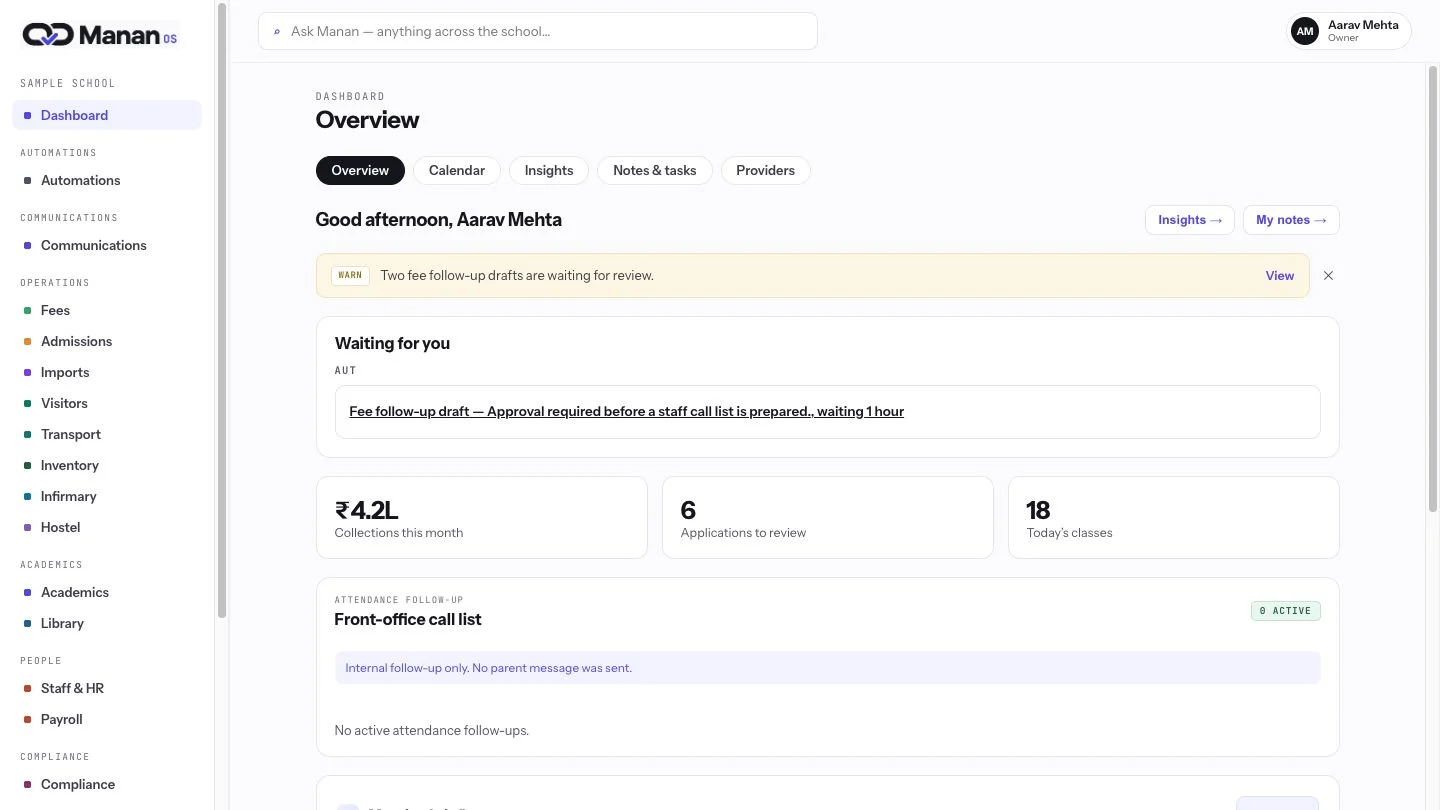
The owner dashboard gathers collections, admissions and work waiting for review. One starting point helps you find the next decision across the school.
Ask a school question and follow the source.
View full size ↗The owner dashboard gathers collections, admissions and work waiting for review. One starting point helps you find the next decision across the school.
 View full size ↗
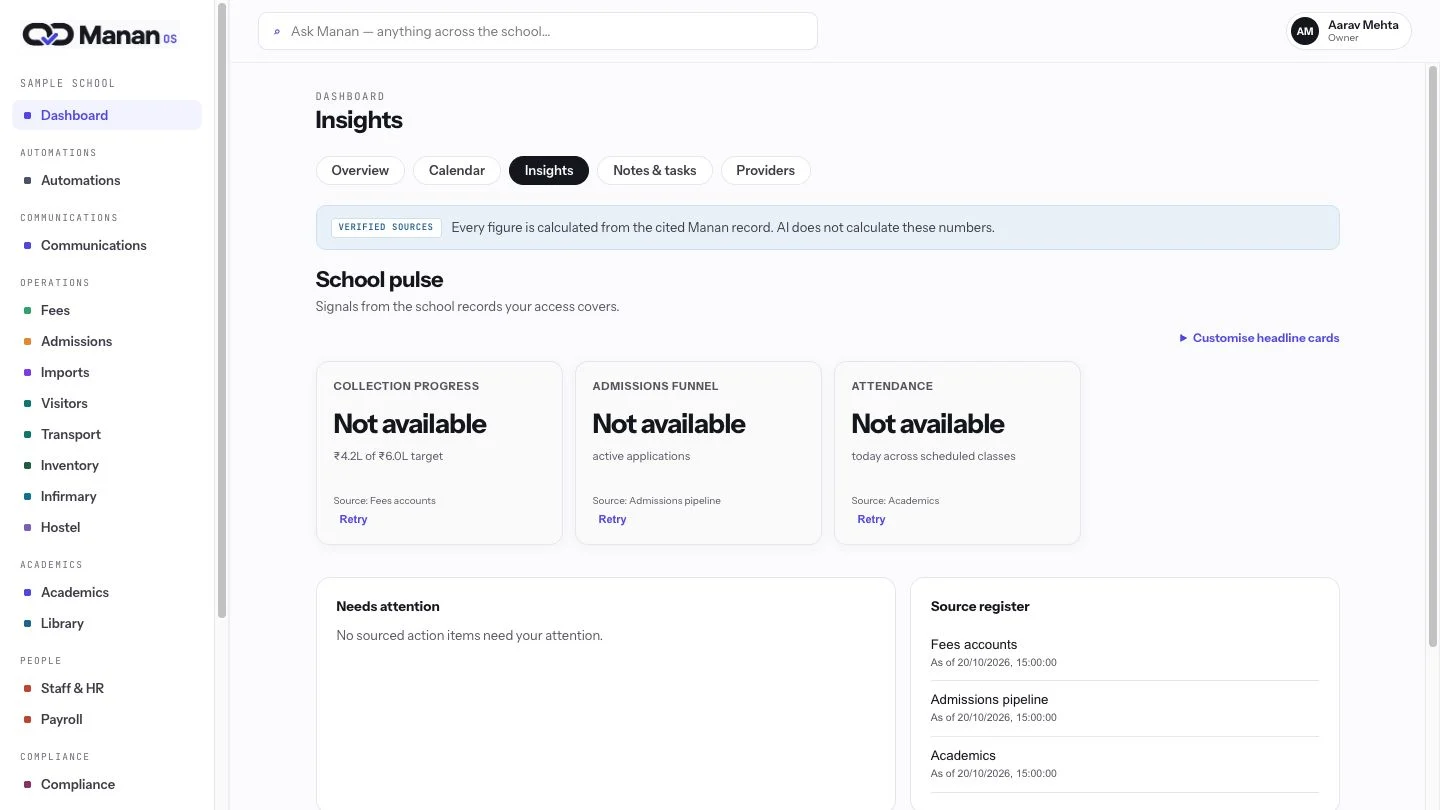
Insights pairs each figure with its source and a route into the relevant module. Move from a summary to the records your team can inspect.
 View full size ↗
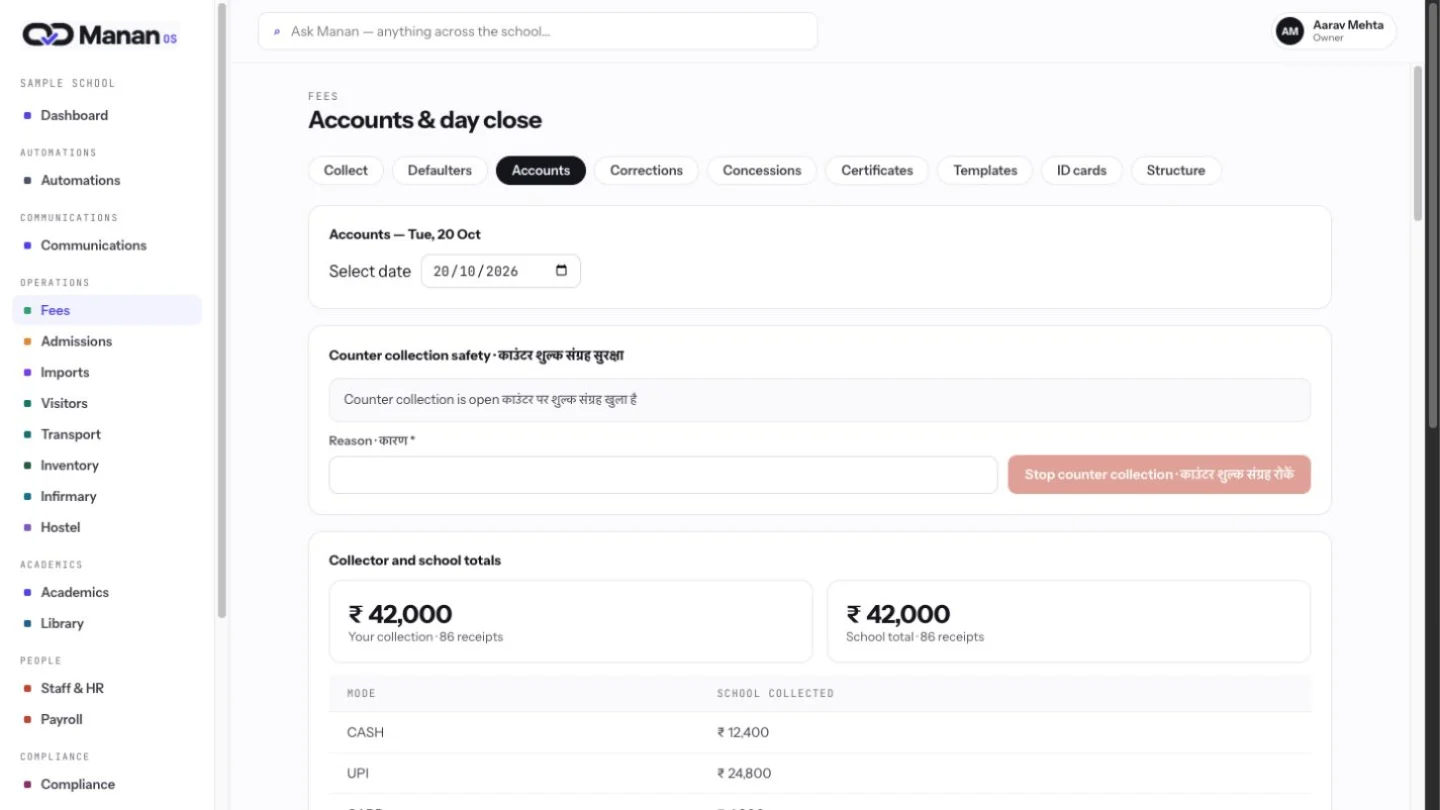
Open Fees accounts to inspect collections and day-close work in context. Source links turn a headline into an operational next step for the right person.
 View full size ↗
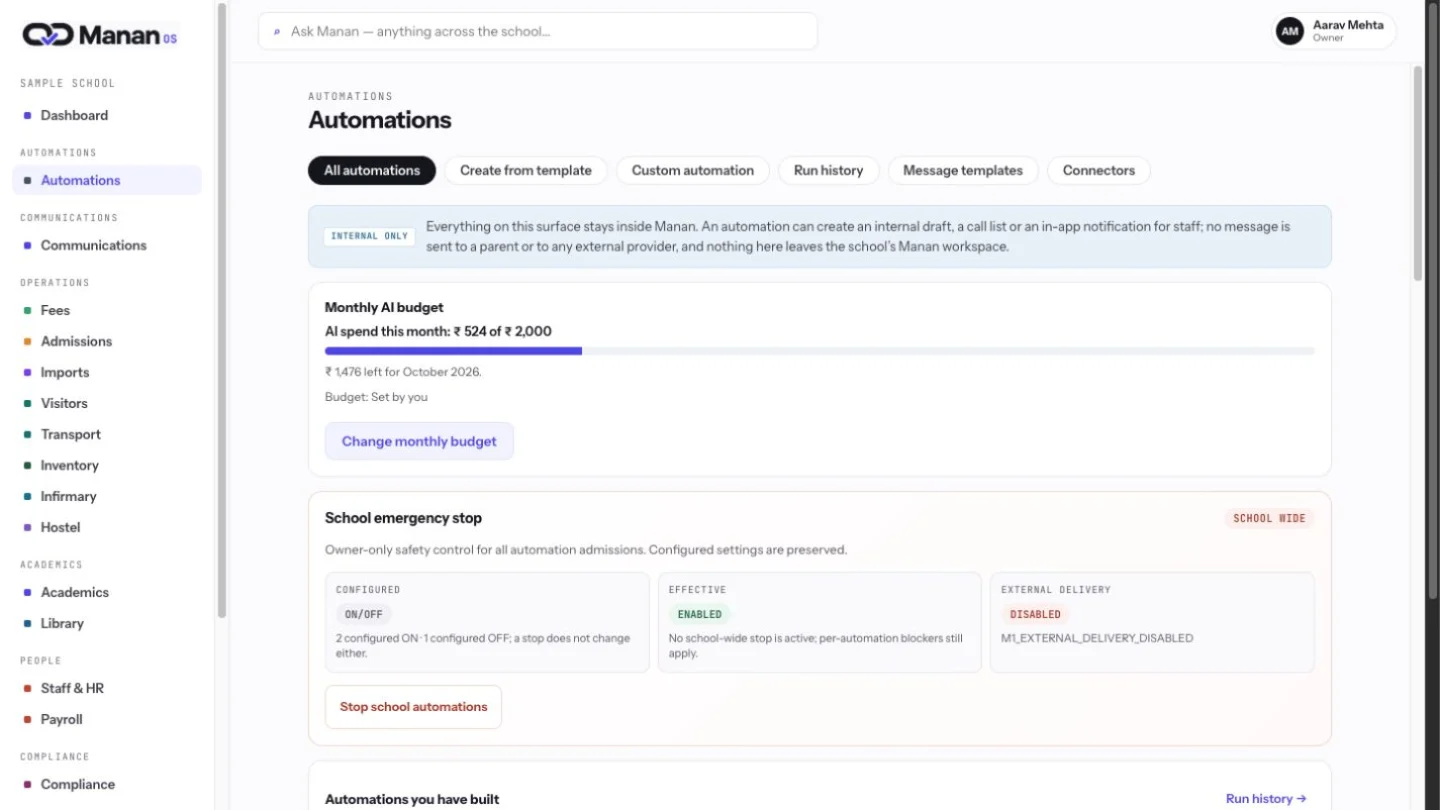
The same workspace keeps AI usage and its monthly cap visible. Owners can review spend and govern automation while teams retain responsibility for their decisions.
