
 View full size ↗
Review an application
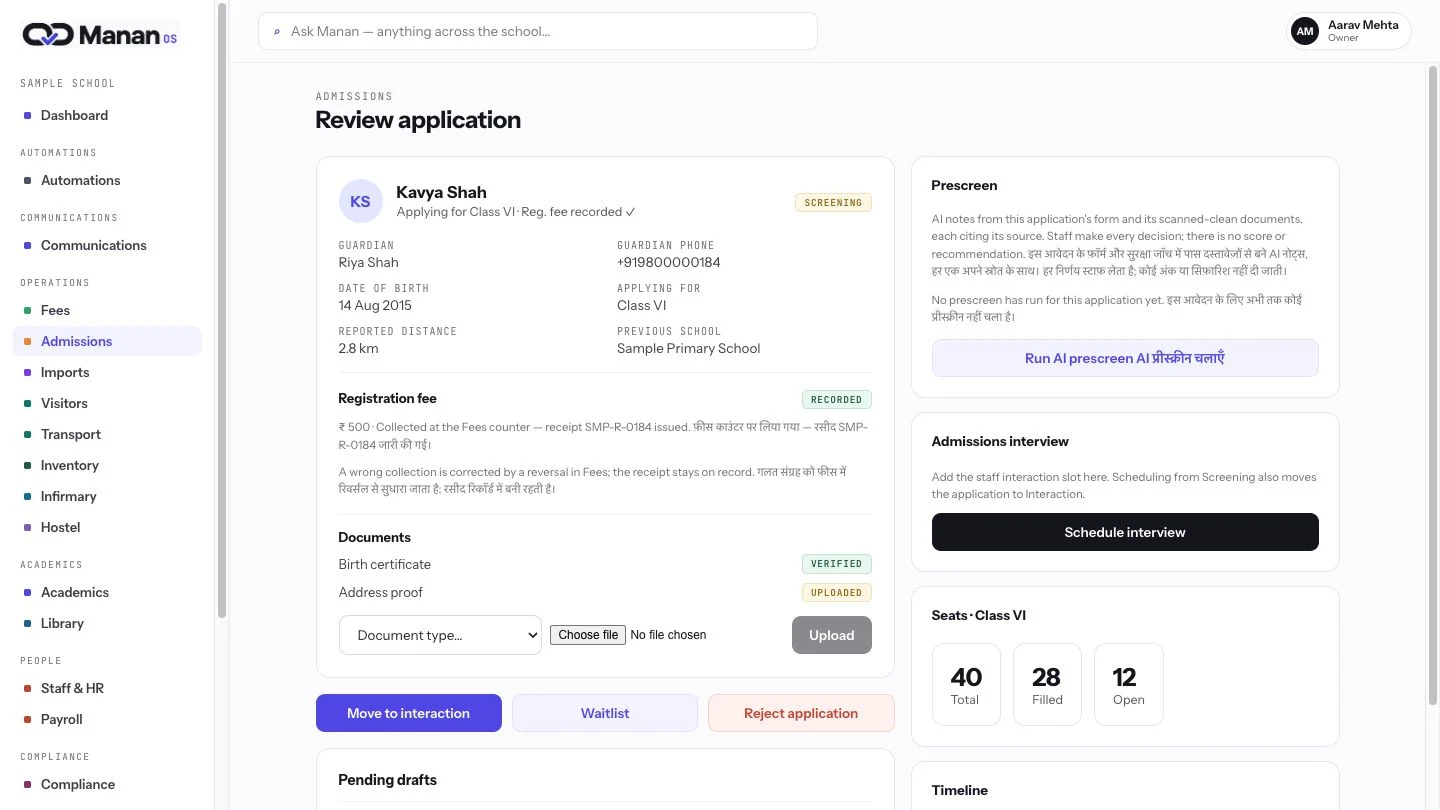
Open the application with its guardian and review context. The office sees the admission record and supporting documents together, before deciding the next step.
Review once, then carry the right context forward.
View full size ↗Open the application with its guardian and review context. The office sees the admission record and supporting documents together, before deciding the next step.
 View full size ↗
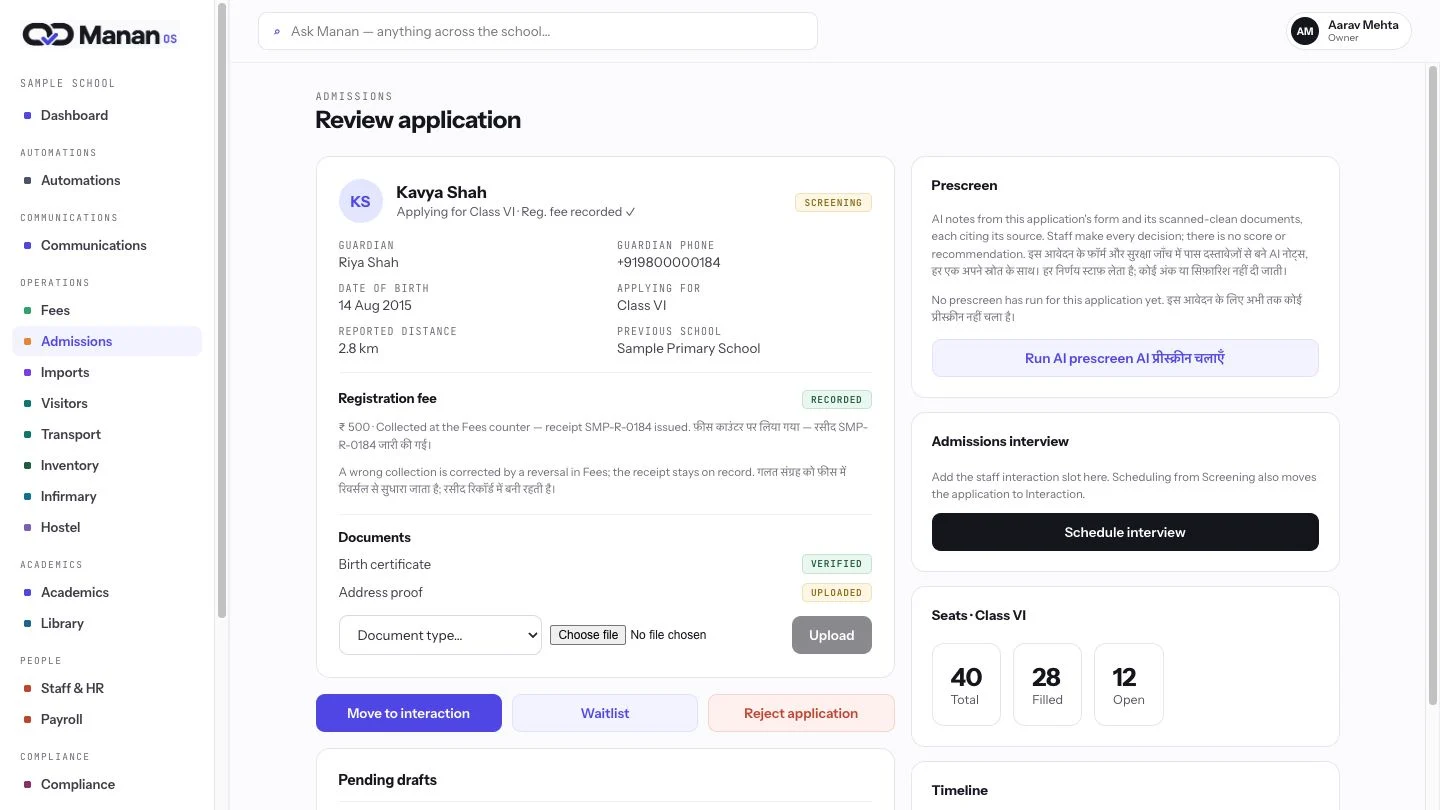
Check document status and registration-fee evidence beside the same application. Staff can verify what is recorded without asking another team to assemble the context again.
 View full size ↗
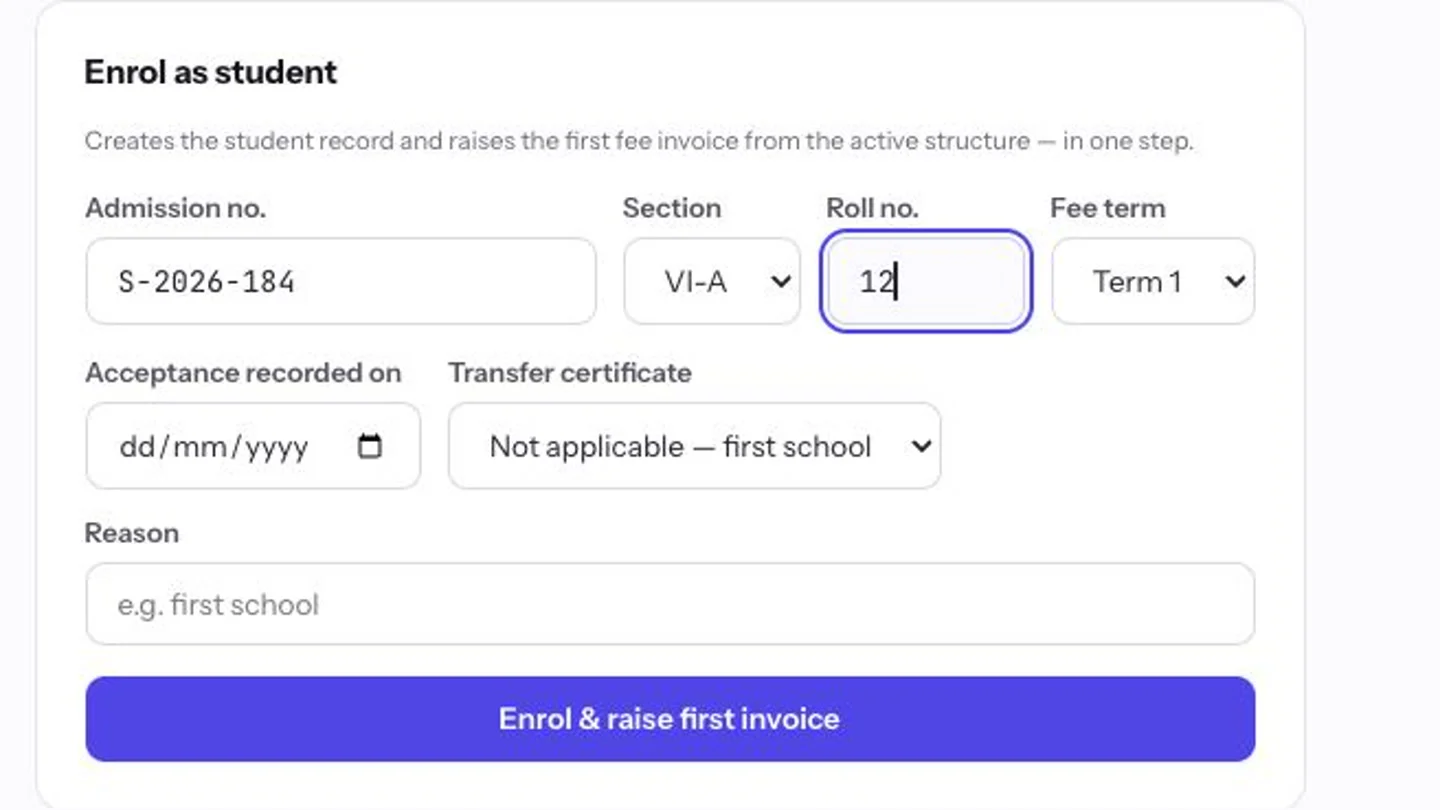
Bring acceptance, section and certificate checks into one enrolment form. The next handoff is prepared from the reviewed application, reducing repeated entry between teams.
 View full size ↗
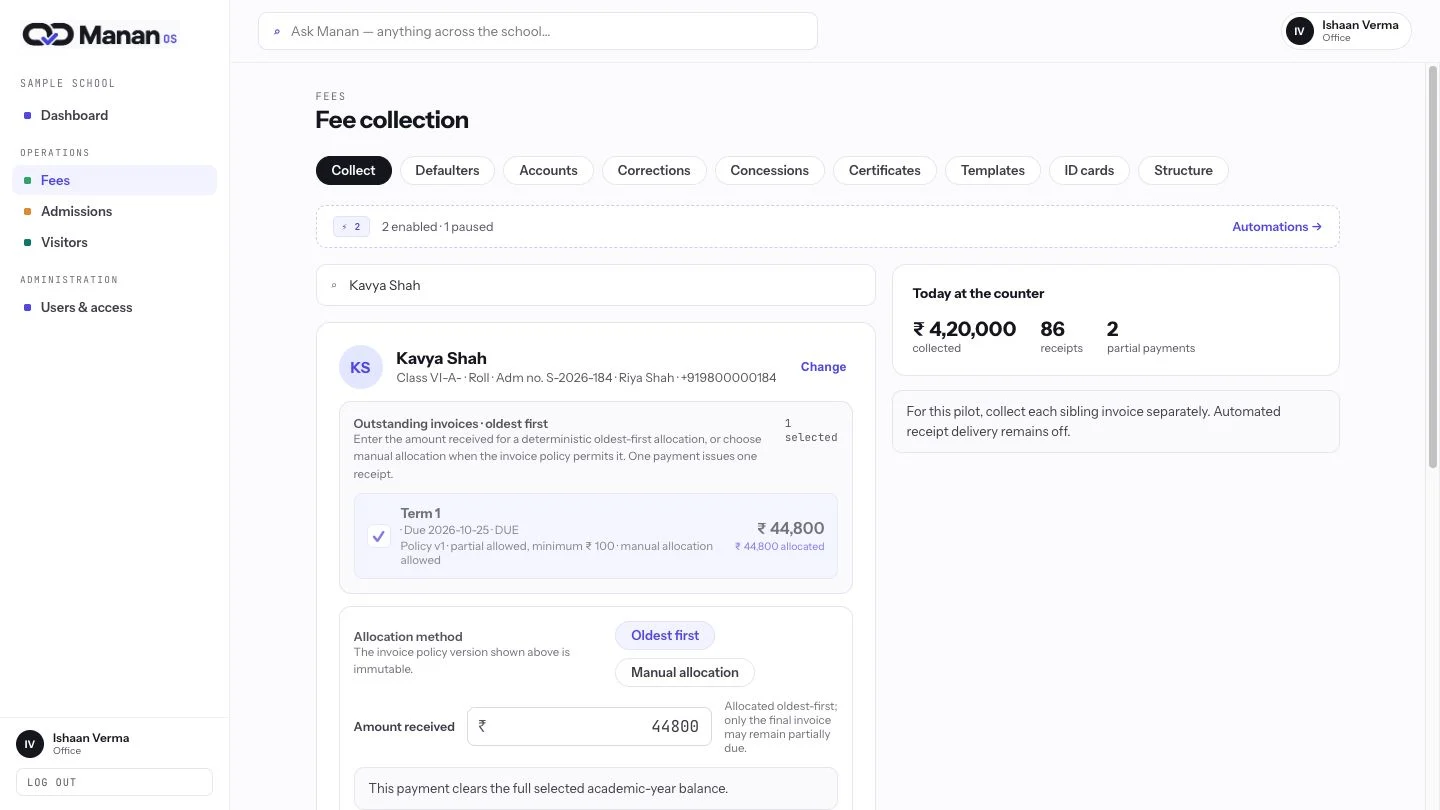
Accounts opens the student’s fee context, with outstanding invoices and allocation controls already together. The next team works from the school record, without rebuilding it.
